Font Subscription Management for Design Teams
Designing a centralized SaaS dashboard for creative teams to discover, preview, and activate fonts while maintaining compliance and organizational control.
Problem Context
Design and advertising agencies rely heavily on premium fonts from platforms like Monotype, but managing access, licensing, and usage across teams is fragmented and risky.
Visibility Issues
- No clear view of who has access to which fonts
- Designers don't know what's already available
- Re-downloading and duplicating fonts
Licensing Risks
- Overuse beyond purchased seats
- Non-compliant usage across teams
- Potential legal and financial exposure
Admin Challenges
- Difficulty assigning fonts to roles/projects
- No tracking of usage and activation
- Manual, time-consuming processes
Project Goal
Design a centralized SaaS dashboard that enables creative teams to efficiently discover, preview, and activate fonts while maintaining compliance and organizational control.
For Teams
Discover, preview, and activate fonts quickly and intuitively
For Admins
Manage access, licenses, and usage with full visibility
For Organizations
Stay compliant and efficient while maximizing font library value
User Research
Designers
- Need quick access to fonts
- Want to preview before using
- Value fast, frictionless workflows
Design Leads
- Ensure brand consistency
- Coordinate across projects
- Manage team font libraries
Admin / IT
- Manage licenses and permissions
- Track usage and compliance
- Control costs and access
Information Architecture
The architecture organizes the dashboard into three distinct modes:
Discover Mode
Exploration of new fonts and browsing the library
My Library Mode
Personal workspace with active and owned fonts
Manage Mode
Admin controls for governance and licensing
Key Insight: Dual navigation splits exploration vs ownership vs governance — preventing overcrowding and creating clear mental models for different user intents.
Wireframe Exploration
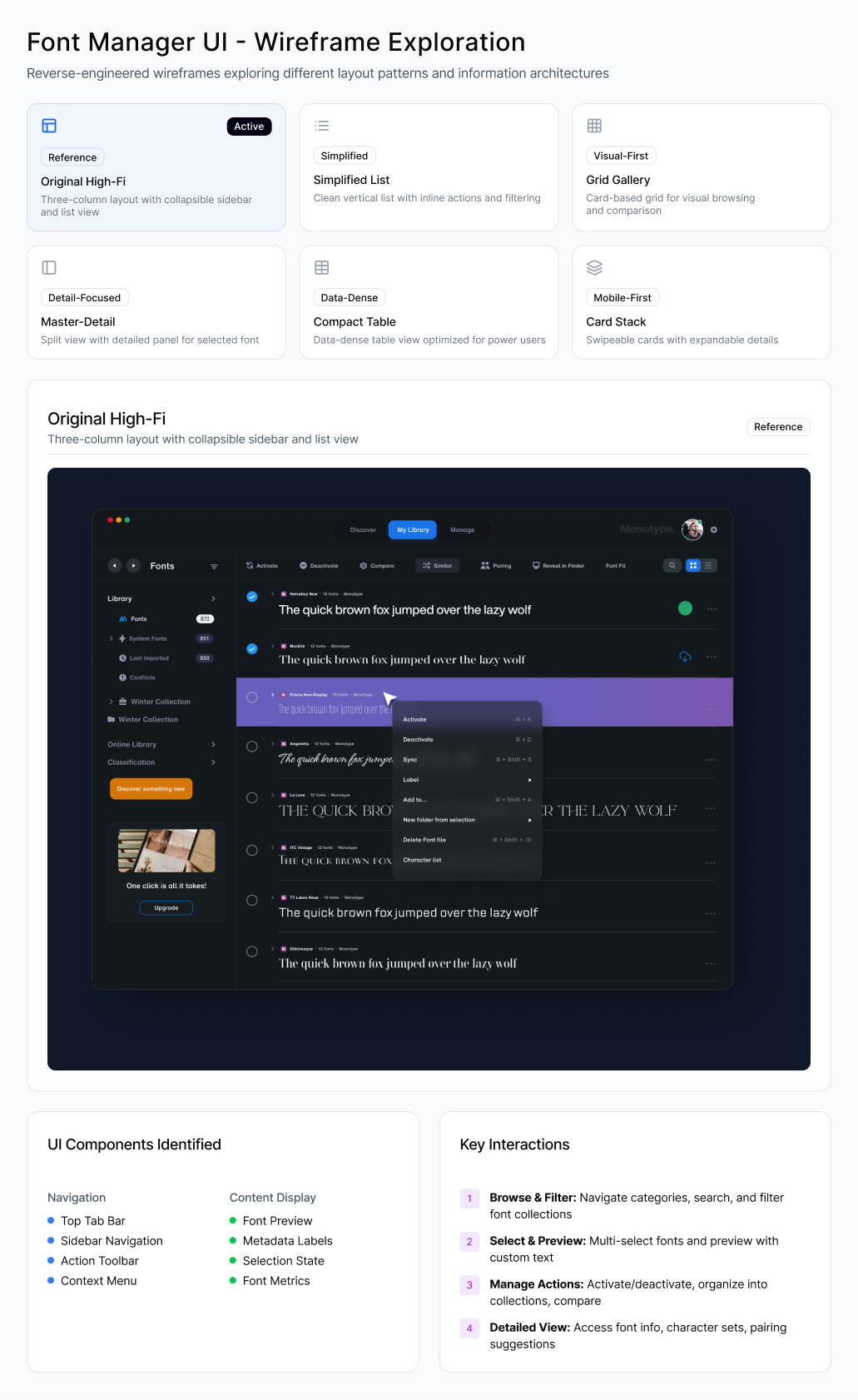
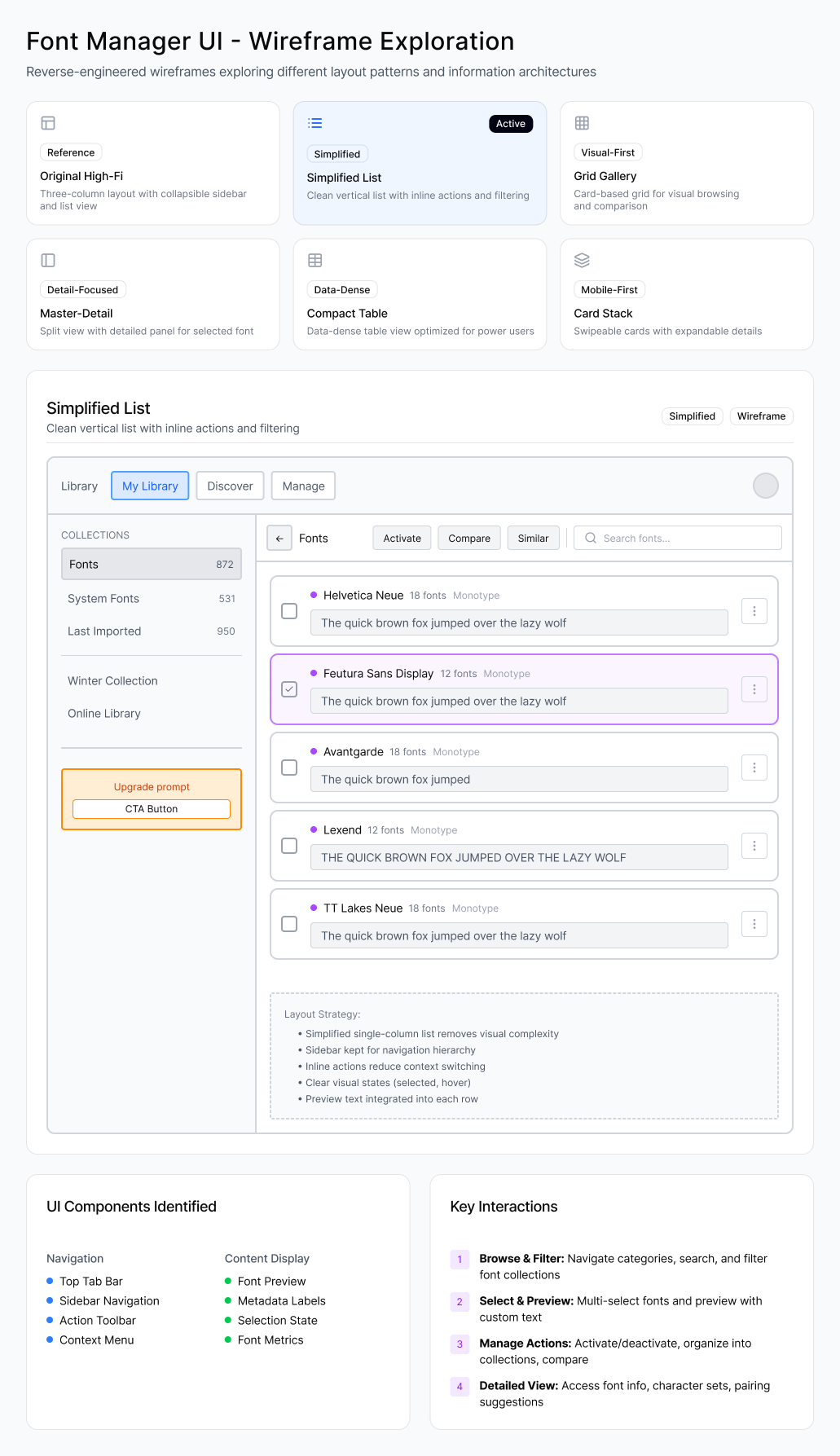
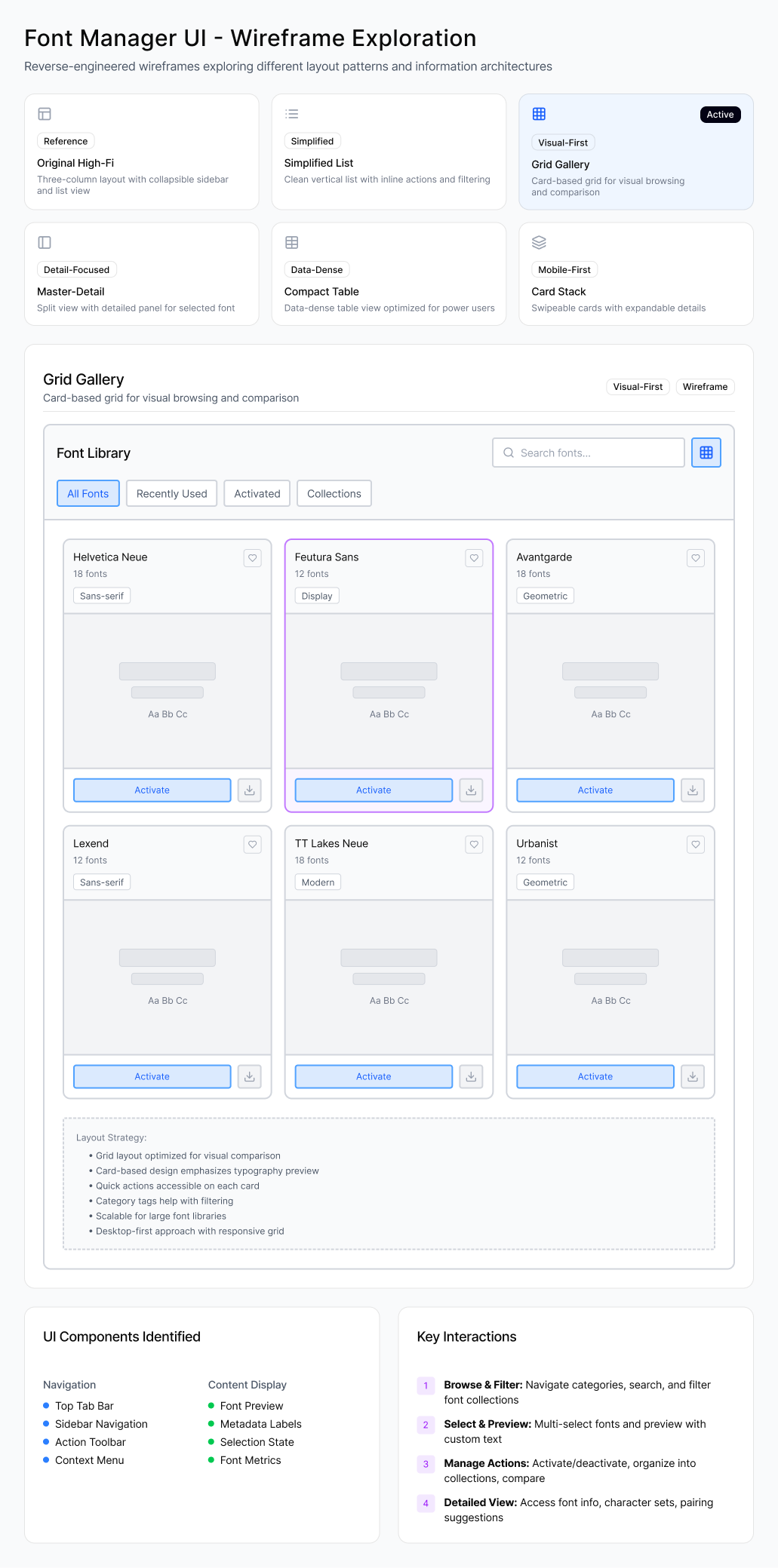
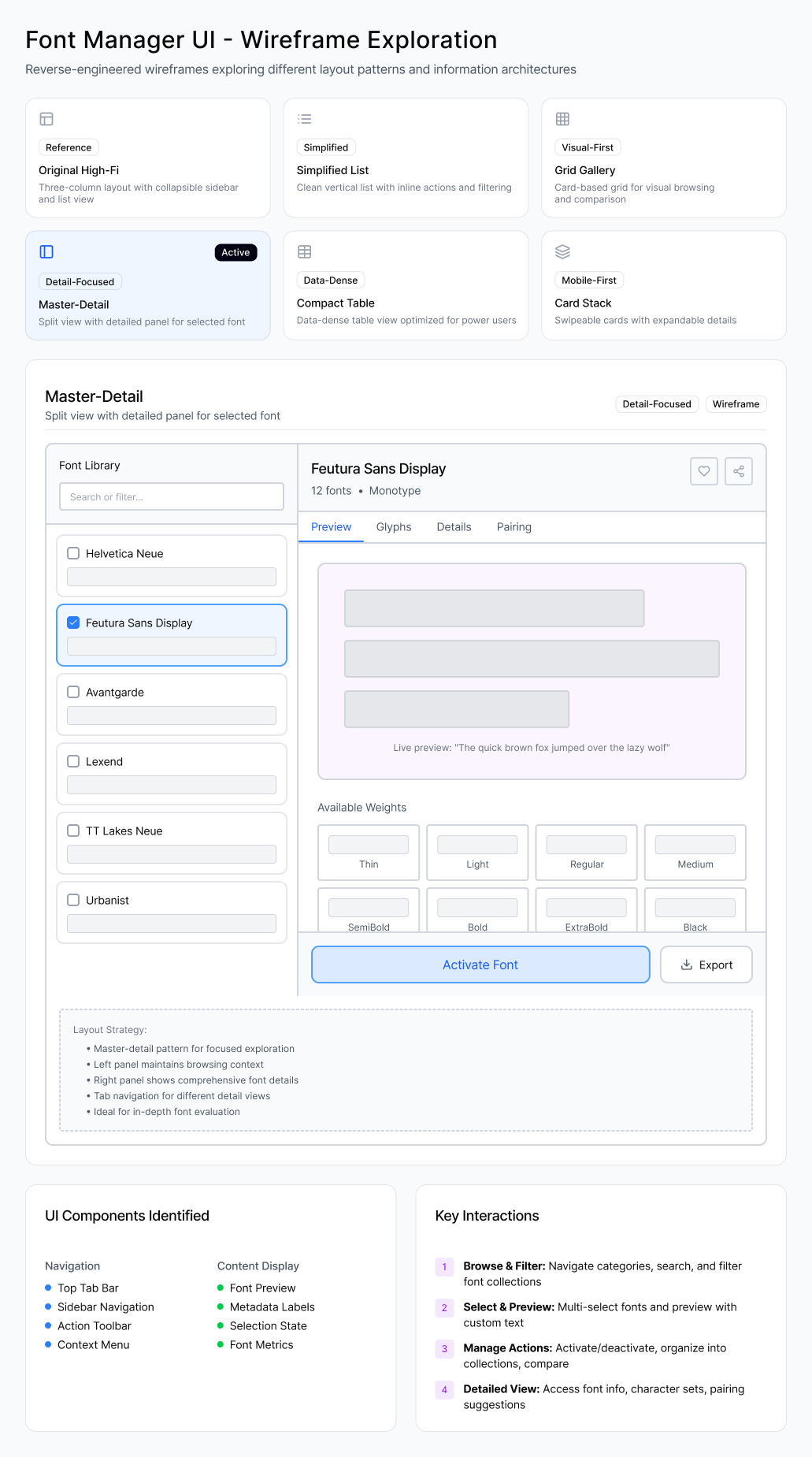
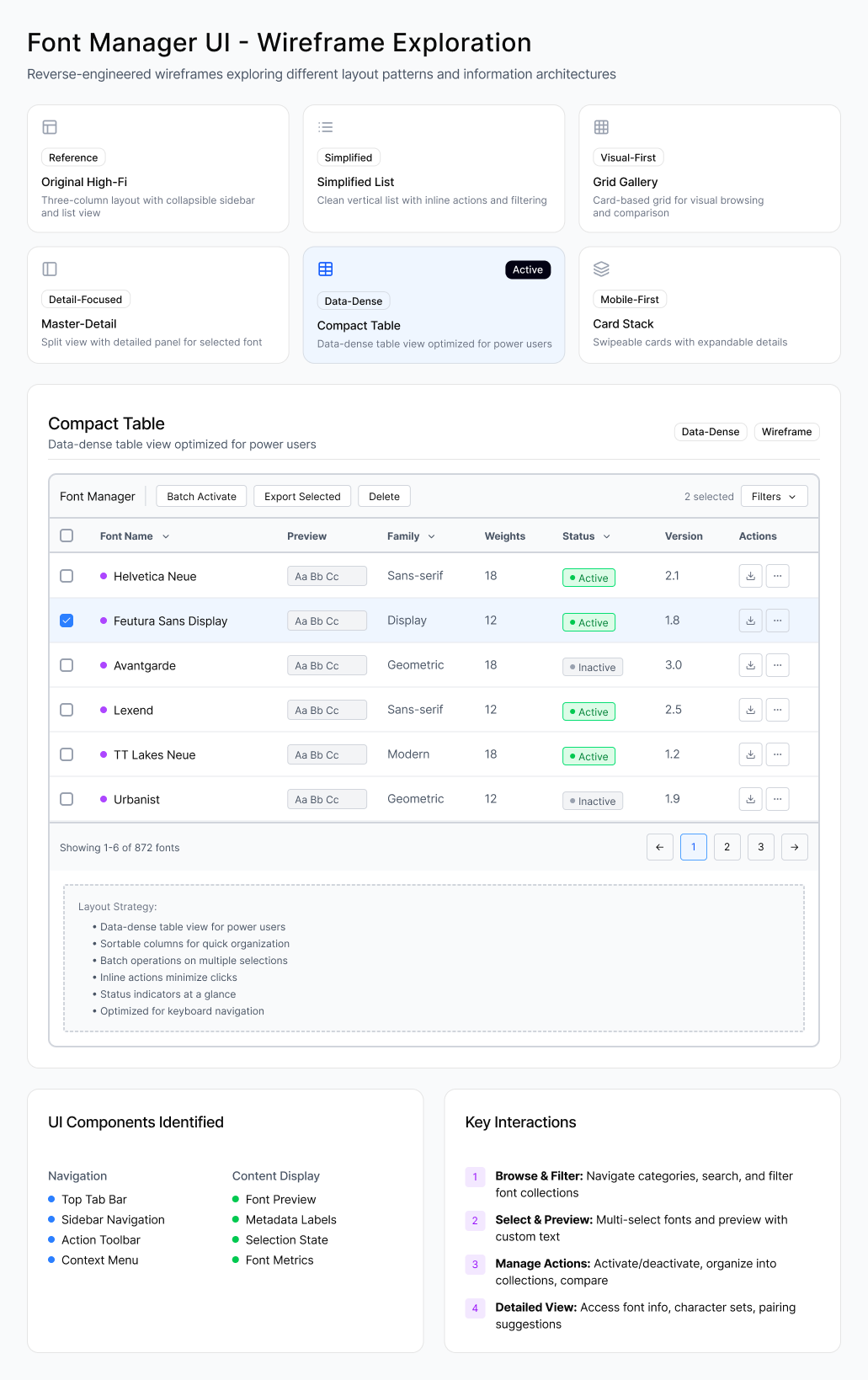
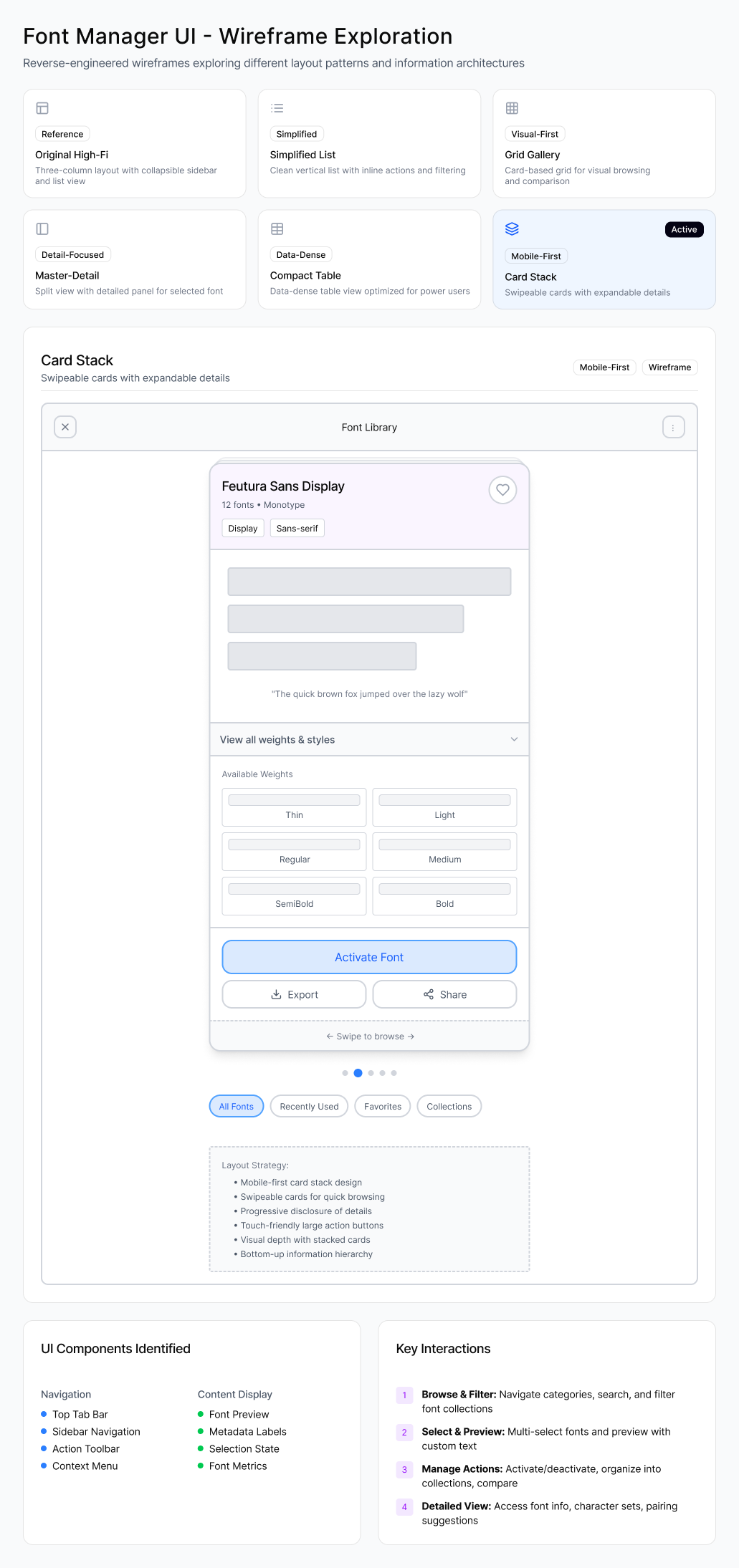
Six layout directions explored — Original High-Fi, Simplified List, Grid Gallery, Master-Detail, Compact Table, and Card Stack
Key UX Decisions
Inline Preview Instead of Detail Pages
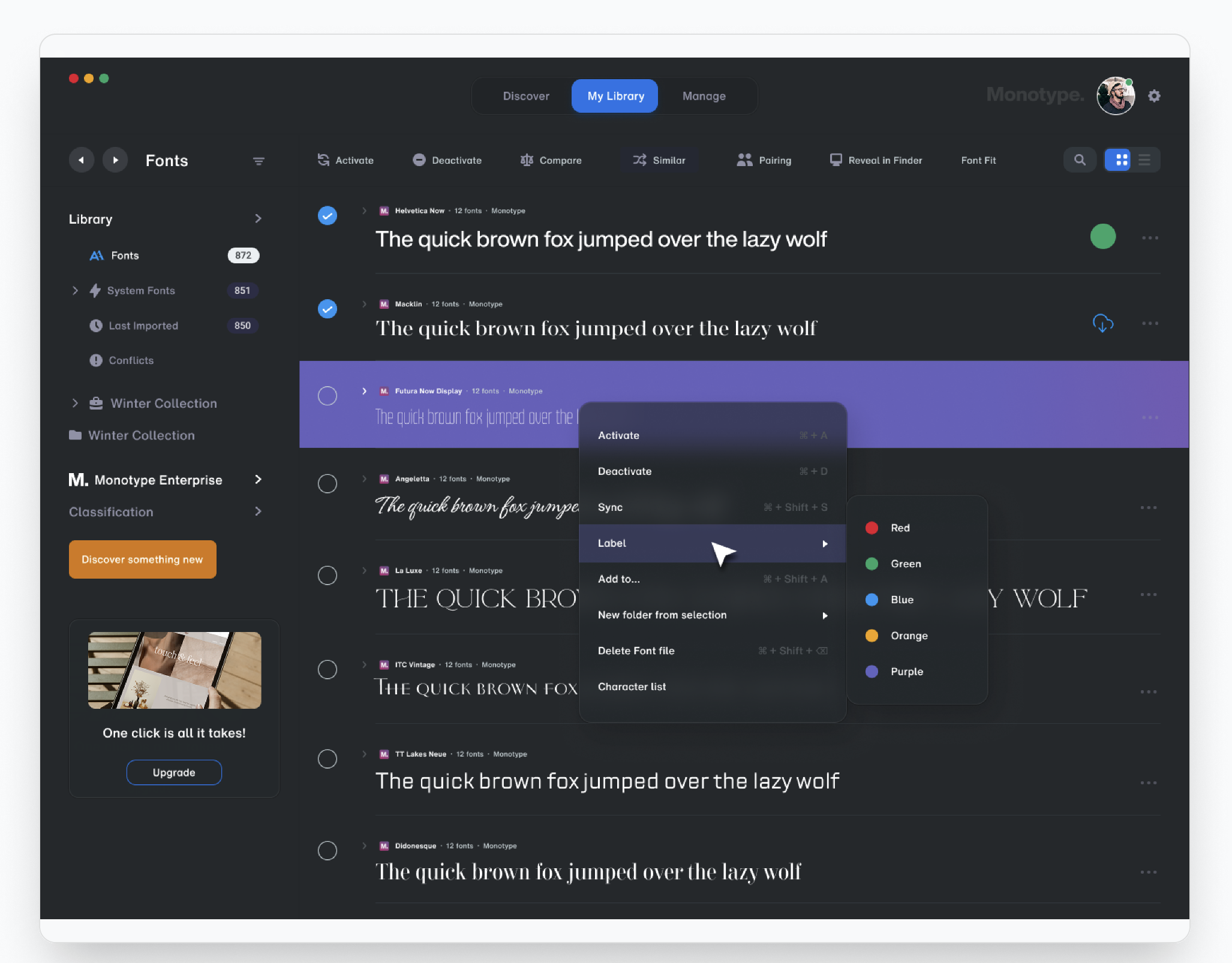
Live typography previews directly in the list ("The quick brown fox...") so designers can scan and make decisions significantly faster.
Dual Navigation Model
Sidebar provides structural navigation (Fonts, Collections, System Fonts), while the top bar handles mode switching (Discover, Library, Manage). Prevents overcrowding.
Progressive Disclosure with Context Menus
Advanced actions (Activate, Sync, Label, Delete) hidden in context menu. Clean for casual users, powerful for experts.
Multi-Select & Bulk Actions
Checkboxes enable multi-selection, allowing teams to activate, deactivate, or organize multiple fonts simultaneously. Critical for agencies managing hundreds of fonts.
Visual Status Indicators
Color-coded dots and labels show font status at a glance (active, synced, inactive), reducing ambiguity without reading text.
High-Fidelity Screens
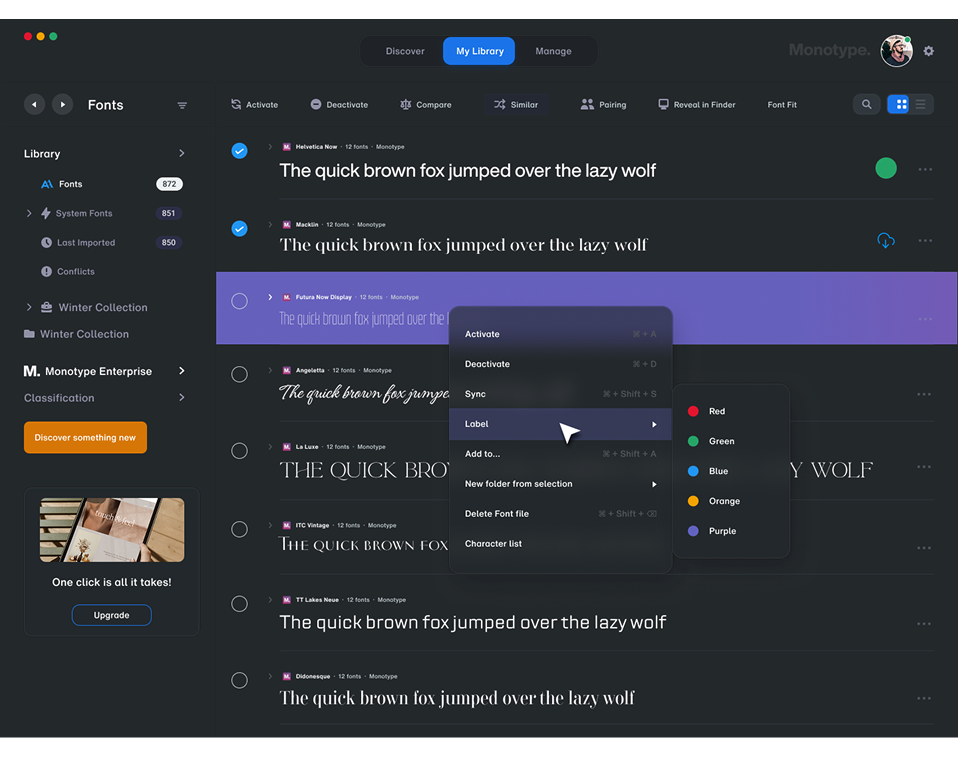
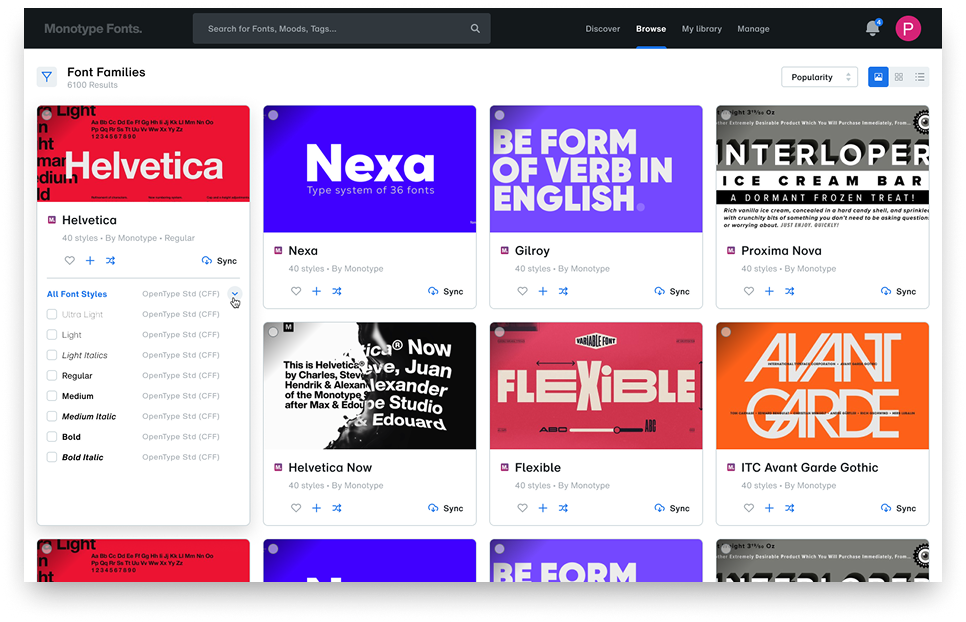
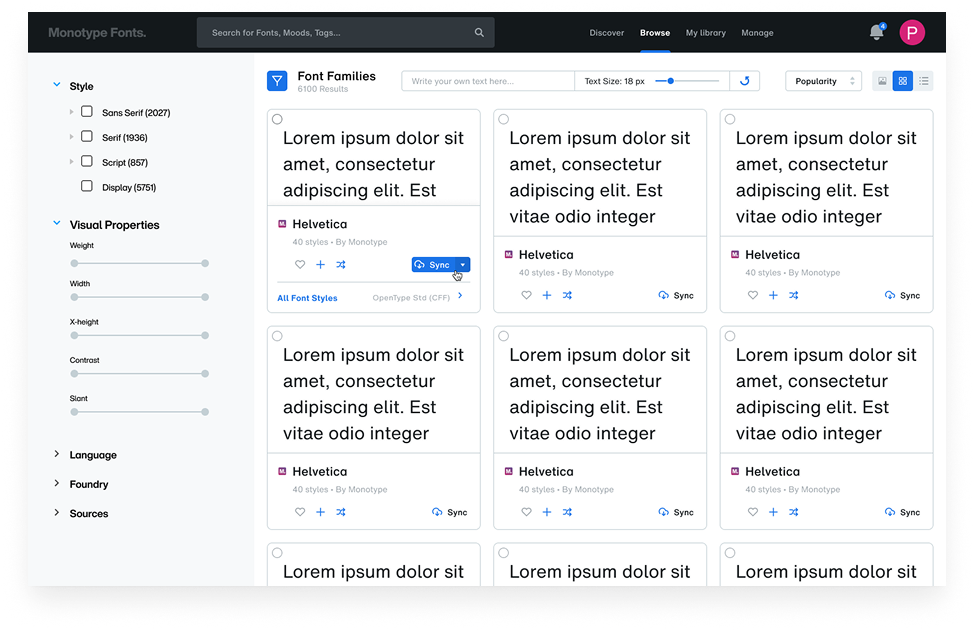
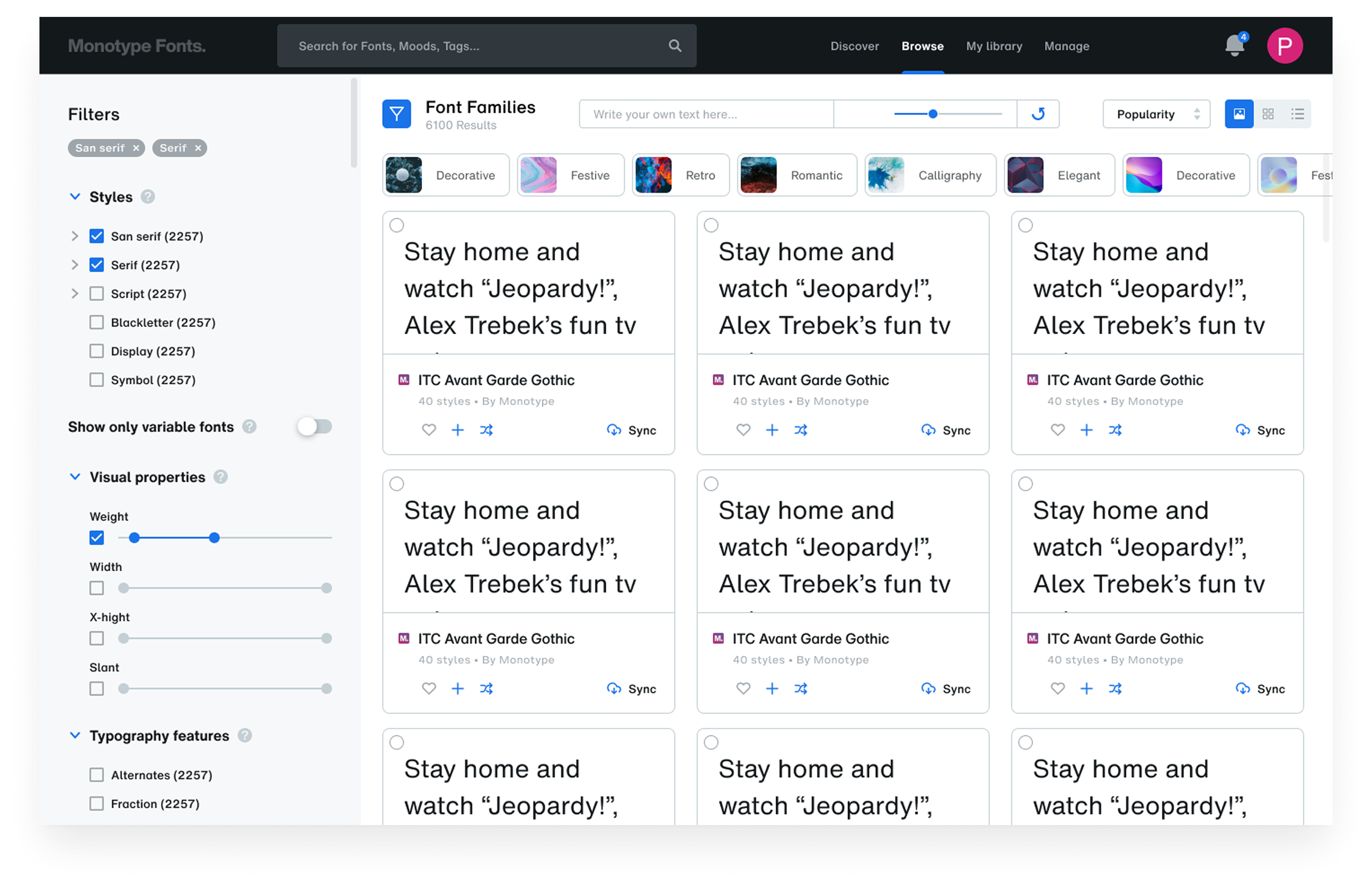
Final dashboard designs: font editing, discovery, filtered browsing, and grid preview views
The Impact
Impact & Reflection
This solution transforms font management from a fragmented, compliance-heavy task into a streamlined, discoverable, and collaborative experience.
Power-User Efficiency
Bulk actions, keyboard shortcuts, and context menus for expert workflows
Ease of Use
Inline previews, simple structure, and progressive disclosure for all skill levels
Scalability
Team management, license control, and role-based access for organizations
What I Learned
- Dual navigation systems can prevent overcrowding when serving multiple user intents
- Inline previews dramatically reduce friction in asset management interfaces
- Progressive disclosure keeps interfaces clean while remaining powerful for advanced users
- Enterprise tools must balance individual efficiency with organizational governance